


Meeting room booking3 of 4 rooms free now
AceMeet
Meeting room booking, invitations and room displays
AceMeet shows which rooms are free right now, lets anyone book one in seconds, and automatically sends invitations to everyone attending—with RSVPs, reminders and check-in built in.
- Liveroom availability
- Autoinvitations to attendees
- RSVPtracking and reminders
TodayRoom availability
LiveClick a free slot to book it
12:00
Next meetingDesign syncStudio · 11:30
RSVP status
Book a room to send invites
📍Check-in openBoardroom · 2 min ago
✉️Invitations sent
Try it
Book a room in three steps
Pick a room, choose a time, add your people. AceMeet checks availability, books the room and sends the invitations in one go.
Pick a time
Duration
Select a room to see availability
Invite people
Sample data · interactive demo
From booking to meeting
Everyone knows where to be—and when
Every booking triggers the same dependable flow, so nobody has to chase RSVPs or hunt for a room.
Room display
A screen at every door shows what is booked
Mount an AceMeet display outside each room. Anyone walking past sees whether the room is free, who has it, and what is coming next.
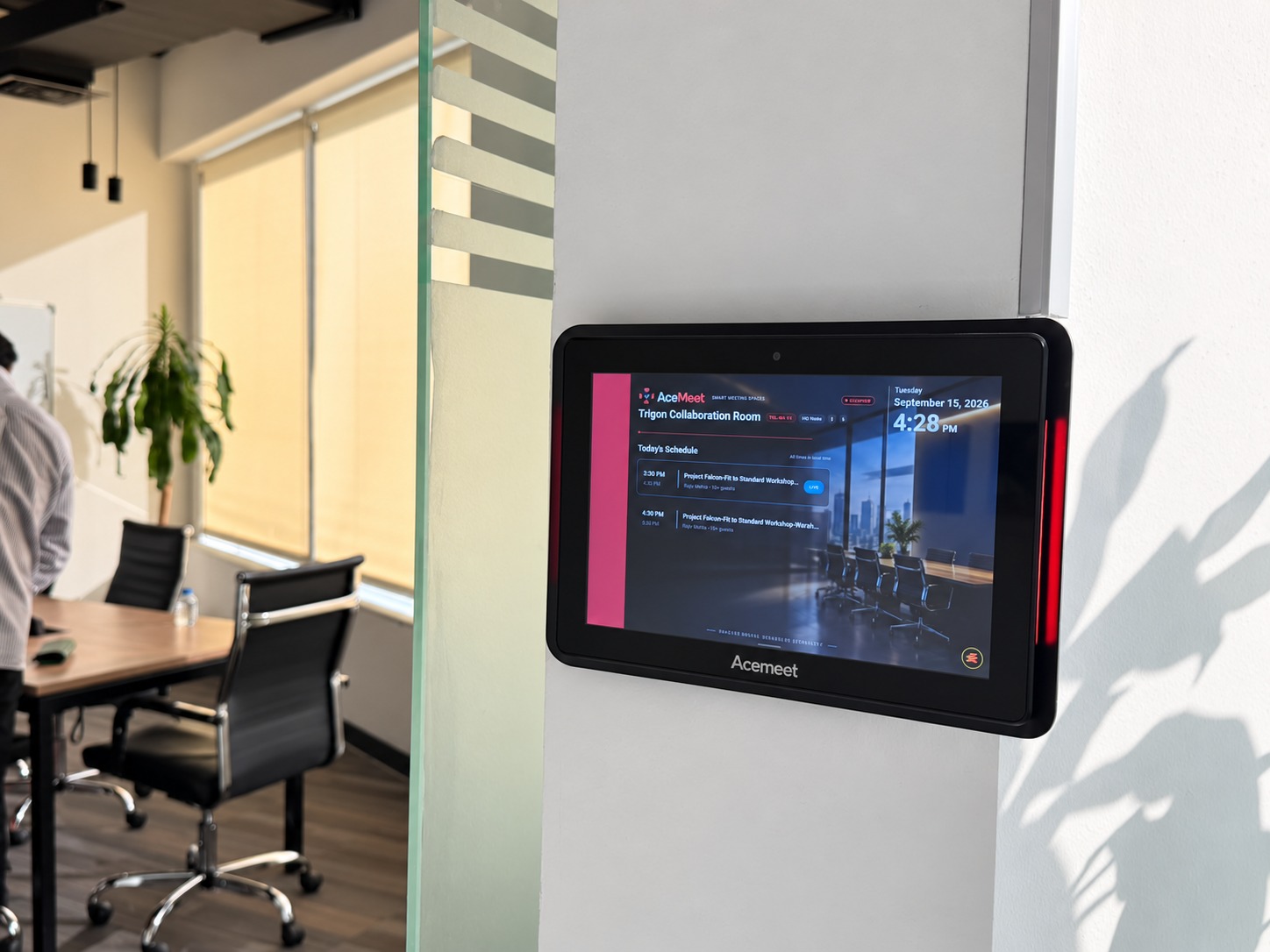
AceMeet · Smart meeting spacesTrigon Collaboration Room
Tuesday4:28 PM
- Current & next bookingsToday's schedule is always on screen, in local time.
- Clear statusRed for occupied, green for free, so people know at a glance.
- Book on the spotWalk up to a free room and reserve it from the display.
- Check in & releaseConfirm the meeting started, or free the room if nobody shows.
Sample data · interactive preview
Usage insights
See how your rooms are really used
Know which rooms are busiest, how many people attend, and where bookings go unused—so you can plan space with facts.
Bookings42
Utilization68%
Avg attendees6
Released unused3
Room utilization
Sample data · illustrative
Everything included
Built for how teams actually meet
Real-time availability
See every room's status at a glance, filtered by size and amenities, before you book.
Conflict-free booking
A room can only be booked once for a slot, so double-bookings stop happening.
Automatic invitations
Attendees are invited the moment a room is booked, with the room, time and agenda.
RSVP tracking
See who has accepted, declined or not yet replied, without sending a single follow-up.
Reminders & check-in
Timely reminders go out before the meeting, and check-in frees rooms that go unused.
Usage reports
Understand utilization and attendance to plan space and cut wasted bookings.
FAQ
Questions, answered
Want AceMeet set up for your offices? Talk to our team for a walkthrough.
Book a free consultationHow do people book a room?
They open AceMeet, see which rooms are free, choose one that fits their group size and amenities, pick a time, and confirm. The room is reserved instantly.
Who receives the invitations?
Everyone the organizer adds. Invitations go out automatically when the booking is confirmed, and each person can accept or decline.
Can I see who has responded?
Yes. RSVP statuses update as people reply, so the organizer always knows who is coming.
What happens if a room is no longer needed?
Bookings can be cancelled or released, and check-in helps free rooms that would otherwise sit unused.
Can we manage multiple floors or offices?
Rooms are organized with their location, capacity and amenities, so teams can find the right space wherever it is.
How do we get started?
Book a free consultation. Our team can arrange a demo and discuss deployment across Canada, the US, the UK, India and the UAE.
More from Acesoft
Explore more products
AssetSealAsset tracking, audits and lifecycle managementExplore AssetSeal HealthAppHealth monitoring, workforce wellness, and permissioned underwritingExplore HealthApp PostOp MonitorPostoperative recovery monitoring and follow-upExplore PostOp Monitor ProjectTrack AIProject, resource and profitability managementExplore ProjectTrack AI AutoVantage ProDealership service and workshop managementExplore AutoVantage Pro CertiTrackCandidate onboarding and certification trackingExplore CertiTrack
Let's talk
Ready to get started?
Let's build it together.
Tell us what you are working on. A solution architect will reply with a free consultation, usually within one business day.
